Implementing work communication apps provides more than just messaging convenience. In fact, it delivers measurable business benefits across multiple dimensions.
Effective work communication apps and group communication apps help unify the workforce, reduce silos, and foster collaboration across departments. As a result, organizations become more agile and resilient.
According to a Gallup study, highly engaged teams show 21% greater profitability. Clearly, effective communication is not just helpful, it’s essential.
In this guide, we will compare the best apps for team communication, highlight the must-have features, and show you how to choose the right platform for your business.
Key Takeaways:
- Modern team communication apps improve productivity, engagement, and cross-department collaboration.
- The best team communication tools combine chat, multi-channel messaging, analytics, and integrations.
- Comparing pricing, features, and limitations helps businesses choose the right platform.
- Unified communication platforms reduce tool overload and simplify IT management.
- Security, compliance, AI automation, and adoption strategy are critical for long-term success.
- Choosing the right tool depends on workforce type like desk, frontline, hybrid, or global teams.


What is Team Communication Software?
Team communication software is a digital platform that helps employees communicate, collaborate, and share information in real time. These tools combine messaging, announcements, video meetings, file sharing, and employee engagement features to improve workplace communication across remote, hybrid, frontline, and office-based teams.
How Do Team Communication Apps Work?
Team communication apps work by creating a centralized digital space where employees can exchange messages, collaborate on tasks, share files, to stay connected in real time.
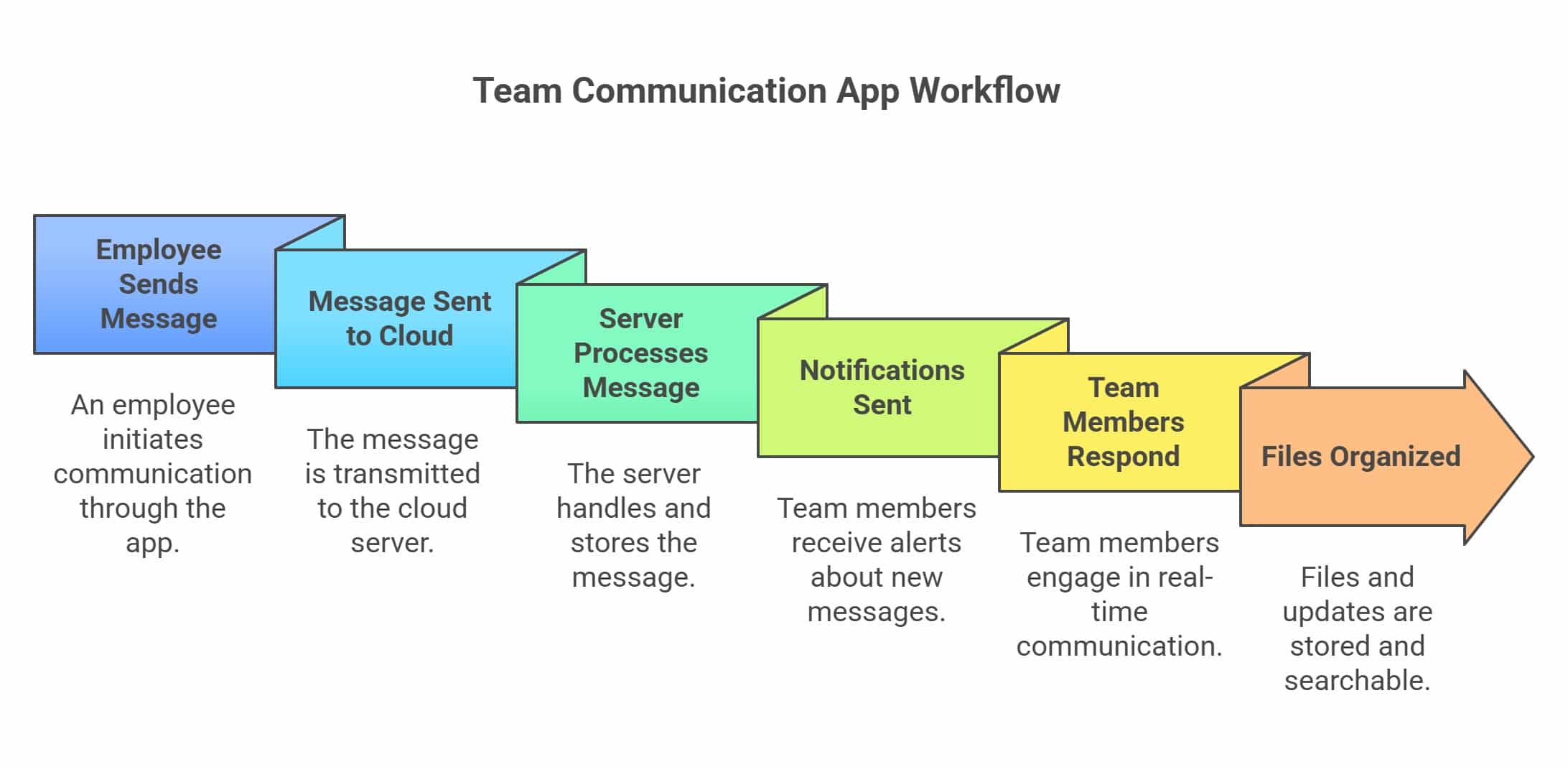
Here is a simple breakdown of how they work behind the scenes and what features make them effective.
- Employee sends a message through the app
- Message is sent to the cloud server
- Server processes and stores the message
- Notifications are sent to team members
- Team members receive and respond in real time
- Files, chats, and updates stay organized and searchable across devices
How Team Communication Apps work across different environments?
Team communication apps work differently based on the type of workforce and business environment. Let us understand with some examples:
- Remote Teams
Use messaging apps, video meetings, and collaboration channels to stay connected across different locations. A marketing team uses Slack and Zoom for daily communication. - Frontline Employees
Rely on mobile notifications, instant alerts, and shift updates for real-time communication. Retail staff receive schedule updates through a mobile app. - Hybrid Teams
Use communication platforms to connect office and remote employees in one workspace. Employees join Microsoft Teams meetings from home and office. - Global Teams
Use multi-channel communication and translation tools to collaborate across time zones. International teams use chat apps for project coordination worldwide.
Top Team Communication Apps
We reviewed more than 25 platforms and narrowed the list to the 10 best team communication apps based on features,pricing, pros and cons.
1. HubEngage
HubEngage offers instant messaging for team communication as part of its employee experience and engagement platform, enabling organizations to streamline internal communication across distributed teams. Built for remote, hybrid, and frontline teams, it allows employees to send instant messages, create group chats, share files, and collaborate in real time from one centralized platform.
The platform also supports mobile-first communication, making it easier for employees to stay connected from any location. Features like auto-translation help global teams communicate across different languages, while HRIS, payroll integrations, and SSO simplify user management and onboarding.
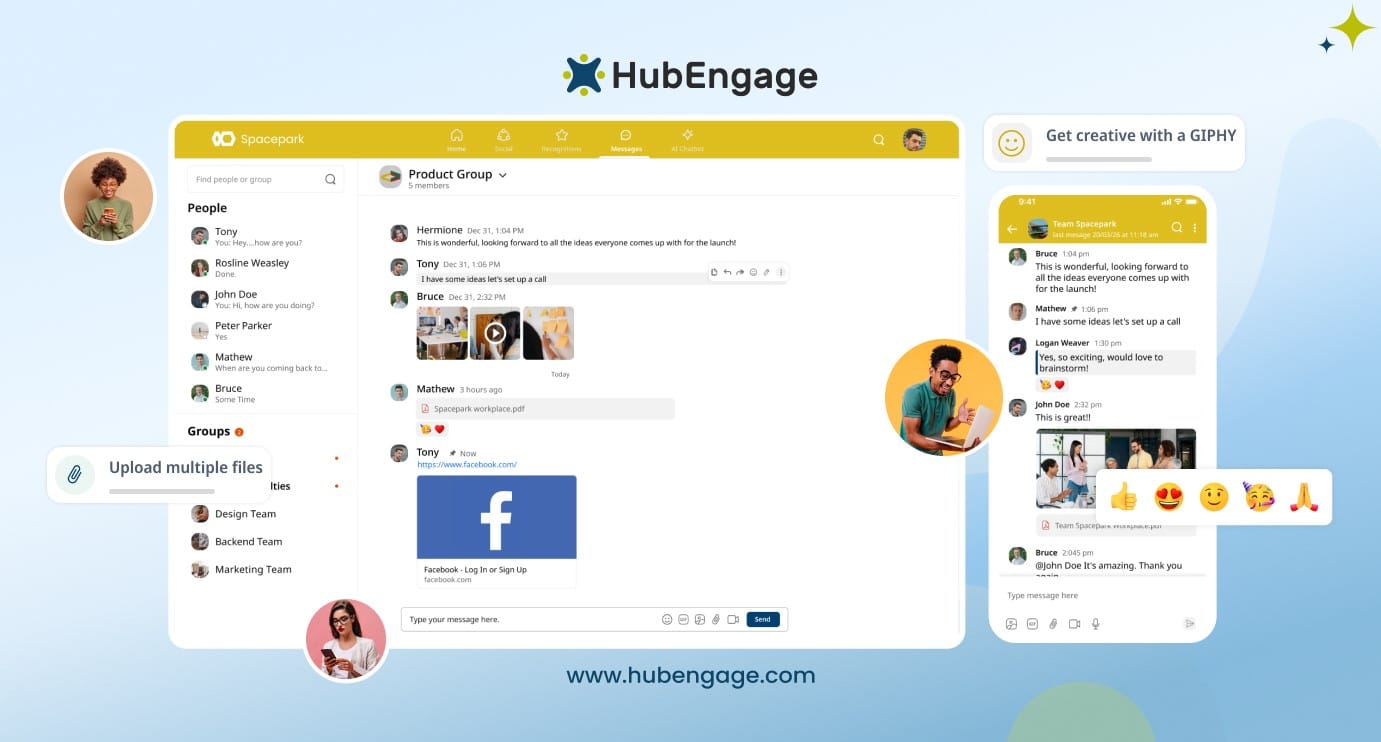
HubEngage goes beyond team messaging by combining communication with employee engagement tools such as recognition, surveys, social feeds, intranet features, and an AI-powered HR chatbot. With enterprise-grade security standards including SOC 2, ISO 27001, GDPR, and HIPAA, it supports secure workplace communication for modern organizations.
Key features:
- Real-time one-to-one and group messaging for faster team communication
- File, document, and media sharing inside chats
- HRIS and payroll integrations with SSO-based access
- Mobile communication app for remote and frontline employees
- Auto-translation for multilingual workforce communication
- Multi-channel communication with intranet and employee app support
Why it stands out:
Combines instant messaging, employee engagement, analytics, and enterprise security within one unified communication platform
HubEngage Pricing:
Custom pricing based on workforce size and selected modules, starting at $1 per user. Discover more about the HubEngage Team Communication App.
HubEngage has earned a 4.6 out of 5-star rating for its flexible features, affordable pricing, and strong employee engagement capabilities. It is especially popular among mid-sized businesses looking for enterprise-level communication and engagement tools at a more cost-effective price.
Best for:
Organizations looking for an all-in-one employee communication and engagement platform. Discover the real-world impact and success stories, you can hear from our customers who share their experience of how their overall employee experience got better using HubEngage.
2. Slack
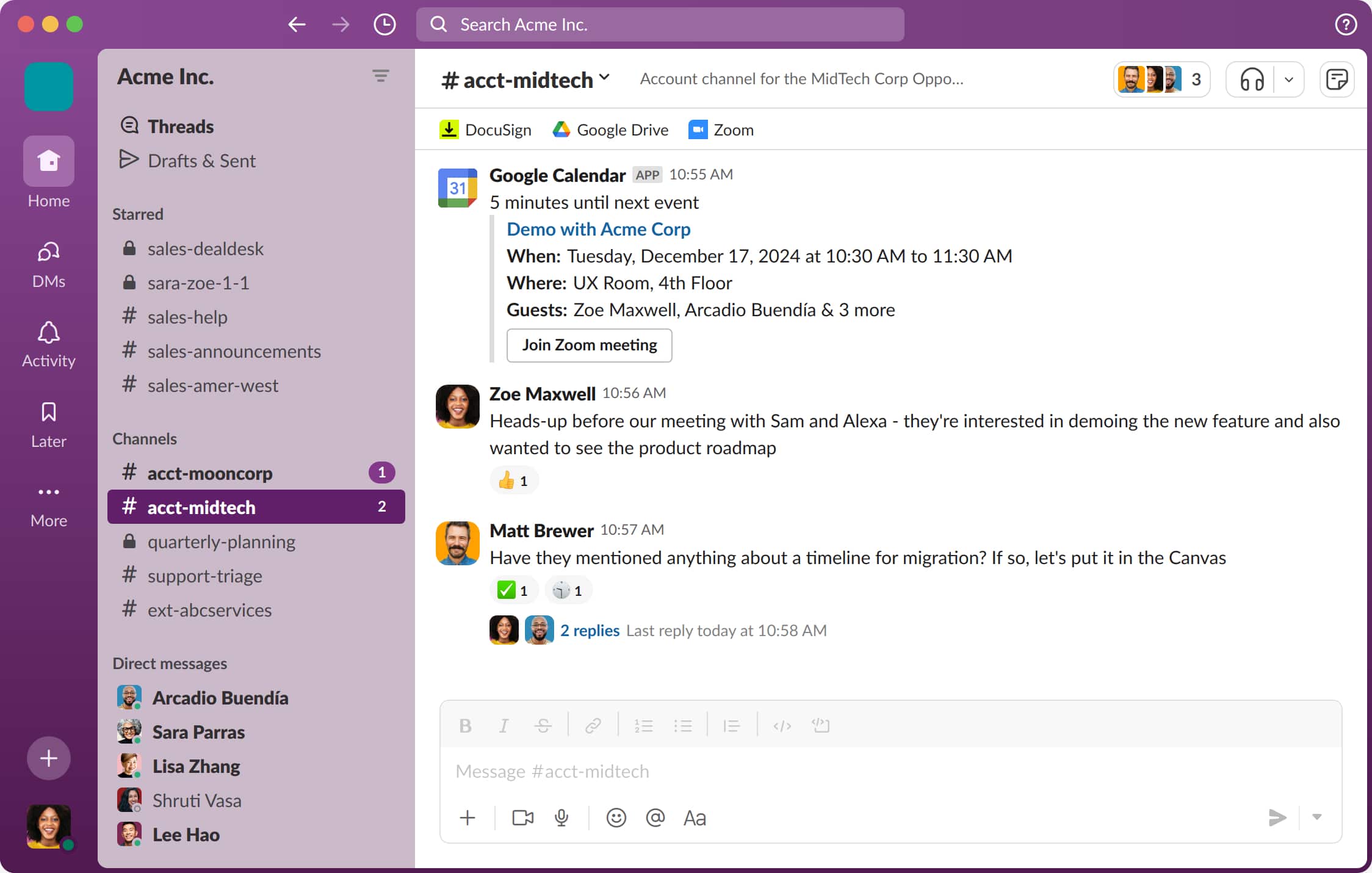
Slack is a chat-first communication platform focused on real-time messaging and collaboration. It is widely used by desk-based teams and knowledge workers.
Top Features
- Channel-based messaging for organized team and project discussions
- Direct and group messaging with searchable conversation history
- Extensive third-party integrations with productivity and business tools
- Workflow automation, bots, and customizable notifications
Pros
- Widely adopted and familiar interface
- Strong search functionality
- Large integration marketplace
Cons
- Channels can become noisy and overwhelming
- Limited built-in engagement analytics
- Costs increase as teams scale
Pricing
Free tier available. Paid plans start at $7.25 per user/month
3. Microsoft Teams
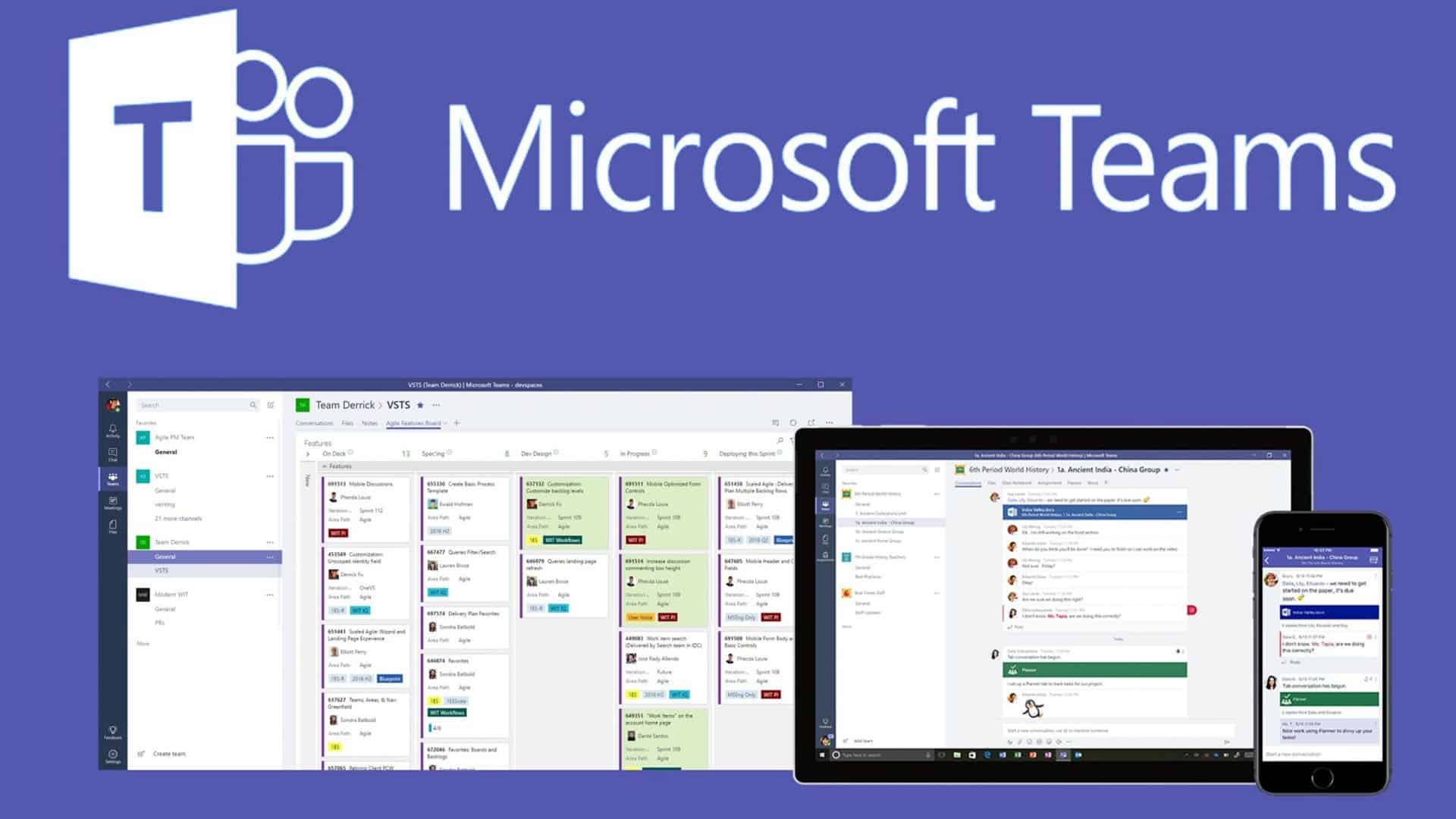
Microsoft Teams is a collaboration platform built into the Microsoft 365 ecosystem, combining chat, meetings, and file sharing.
Top Features
- Team chat with threaded conversations and collaboration spaces
- Built-in video meetings, webinars, and screen sharing tools
- Deep integration with Word, Excel, and SharePoint
- Enterprise-grade security, compliance, and identity management
Pros
- Strong Office 365 integration
- Secure and enterprise-ready
- Supports large organizations
Cons
- Interface can feel complex or cluttered
- Less intuitive for non-Microsoft users
Pricing
Included with Microsoft 365. Standalone plans available
4. Google Chat
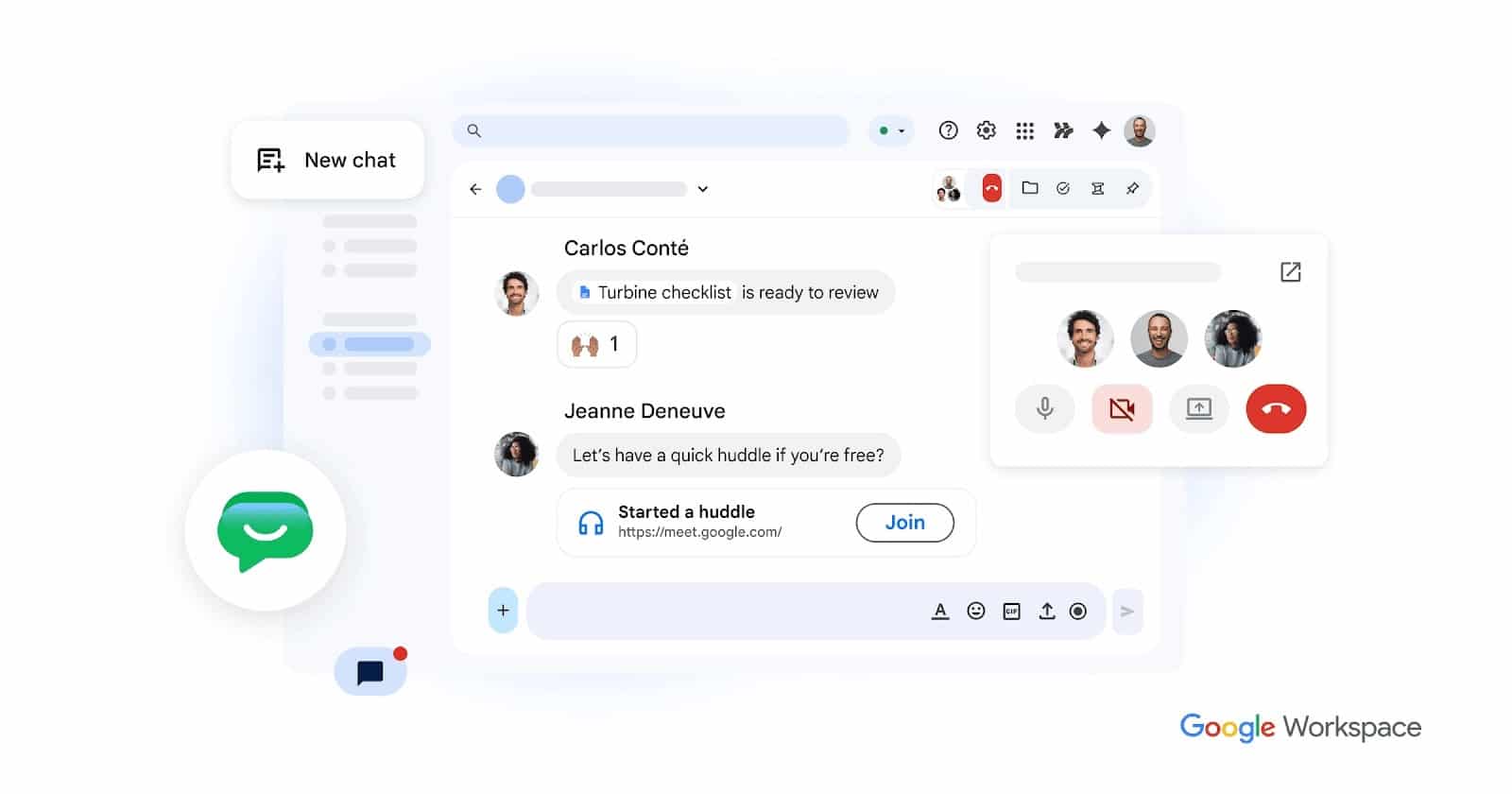
Google Chat is a simple team messaging tool for organizations using Google Workspace.
Top Features
- Group chat spaces for team collaboration and communication
- Seamless integration with Gmail, Drive, and Calendar
- File sharing and real-time document collaboration support
- Simple, lightweight interface within Google Workspace ecosystem
Pros
- Seamless Google Workspace integration
- Easy to use and lightweight
Cons
- Fewer advanced features
- Limited engagement tools
Pricing
Included with Google Workspace subscription
5. Connecteam
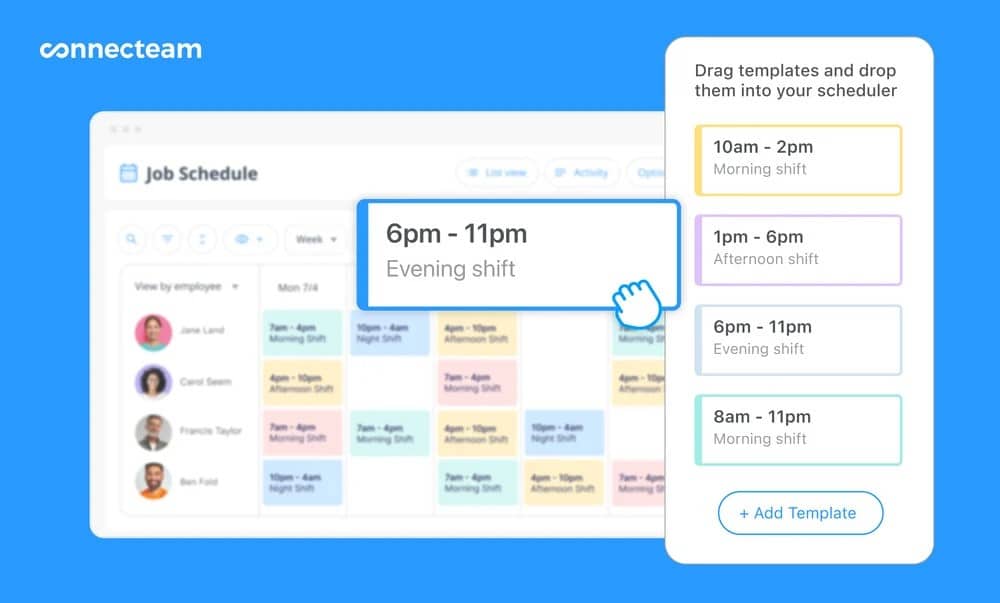
Connecteam is built for frontline and deskless workers needing mobile-first communication and workforce tools.
Top Features
- Mobile-first team chat designed for frontline employees
- Task management, scheduling, and workforce coordination tools
- Time tracking, checklists, and operational workflows
- Surveys, updates, and announcements for deskless teams
Pros
- Strong mobile experience
- Designed for non-desk employees
- Includes operations tools
Cons
- Limited advanced communication analytics
- Fewer enterprise-level features
Pricing
Free for up to 10 users. Paid plans from $29/month
6. Staffbase / LumApps
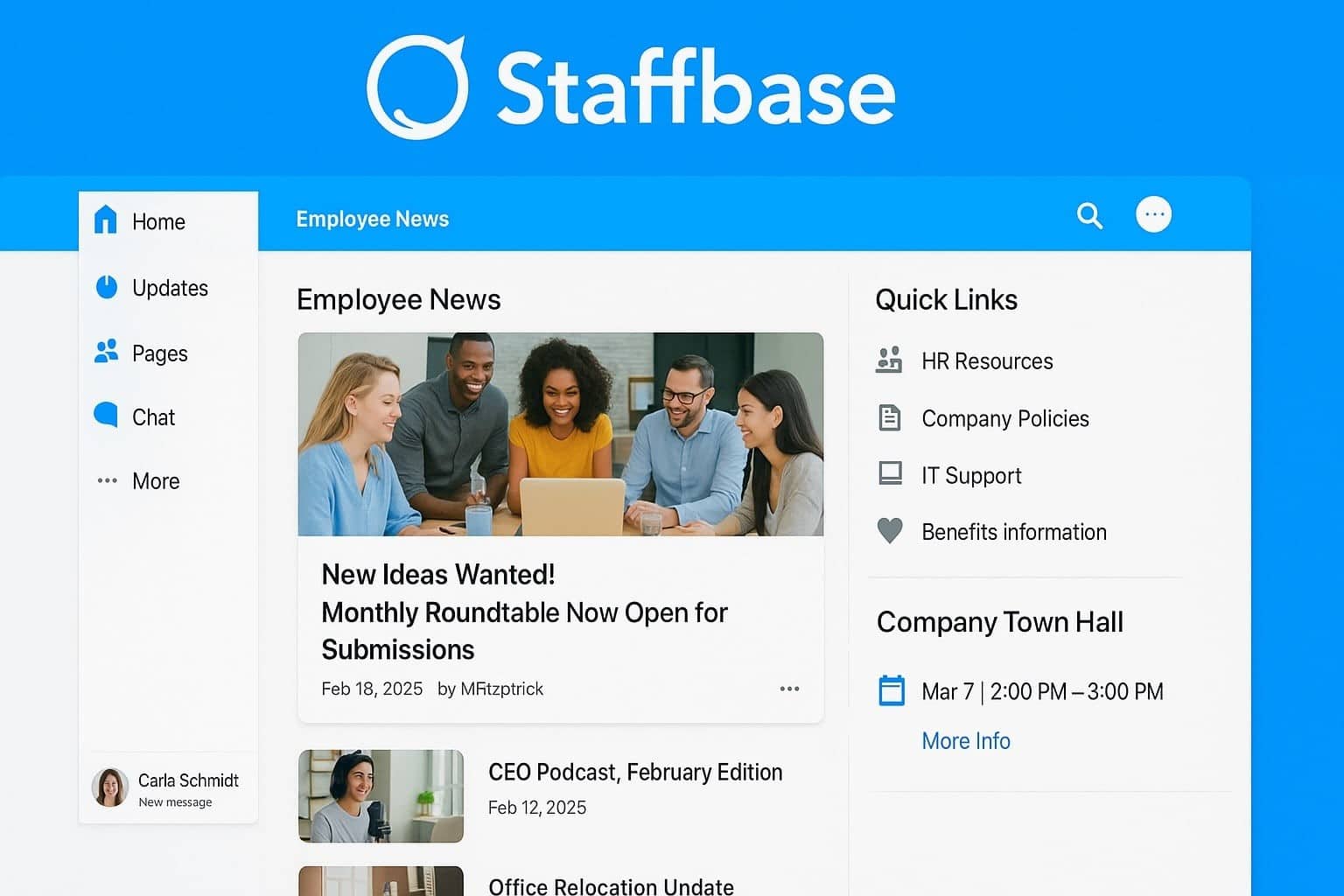
These platforms function as intranet-style communication hubs focused on structured internal communication.
Top Features
- Company-wide announcements and structured internal communication publishing
- Professional news publishing and branded content tools
- Employee portals and mobile intranet applications
- Content management with centralized communication control
Pros
- Strong top-down communication
- Professional publishing tools
Cons
- Limited real-time chat features
- Less focus on two-way communication
Pricing
Enterprise pricing upon request
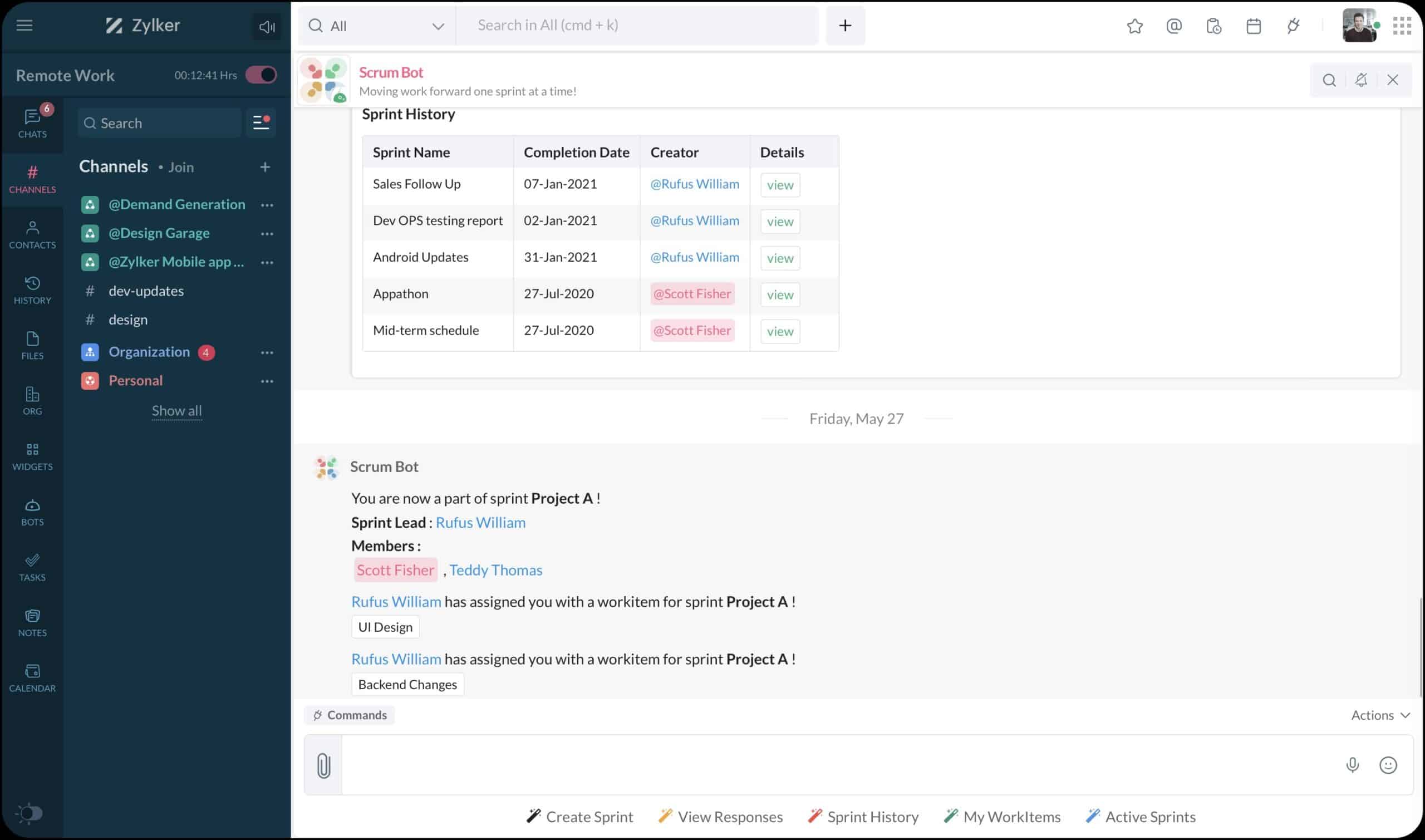
7. Zoho Cliq
Zoho Cliq is an affordable chat tool that integrates deeply with the Zoho ecosystem.
Top Features
- Team messaging with channels and organized group discussions
- Workflow automation with bots and custom commands
- Strong integration with Zoho CRM and business apps
- Customizable notifications and task-based communication workflows
Pros
- Cost-effective
- Strong Zoho integrations
- Customizable workflows
Cons
- Less adoption outside Zoho users
- Limited recognition and engagement tools
Pricing
Free for small teams. Paid plans from $3 per user/month
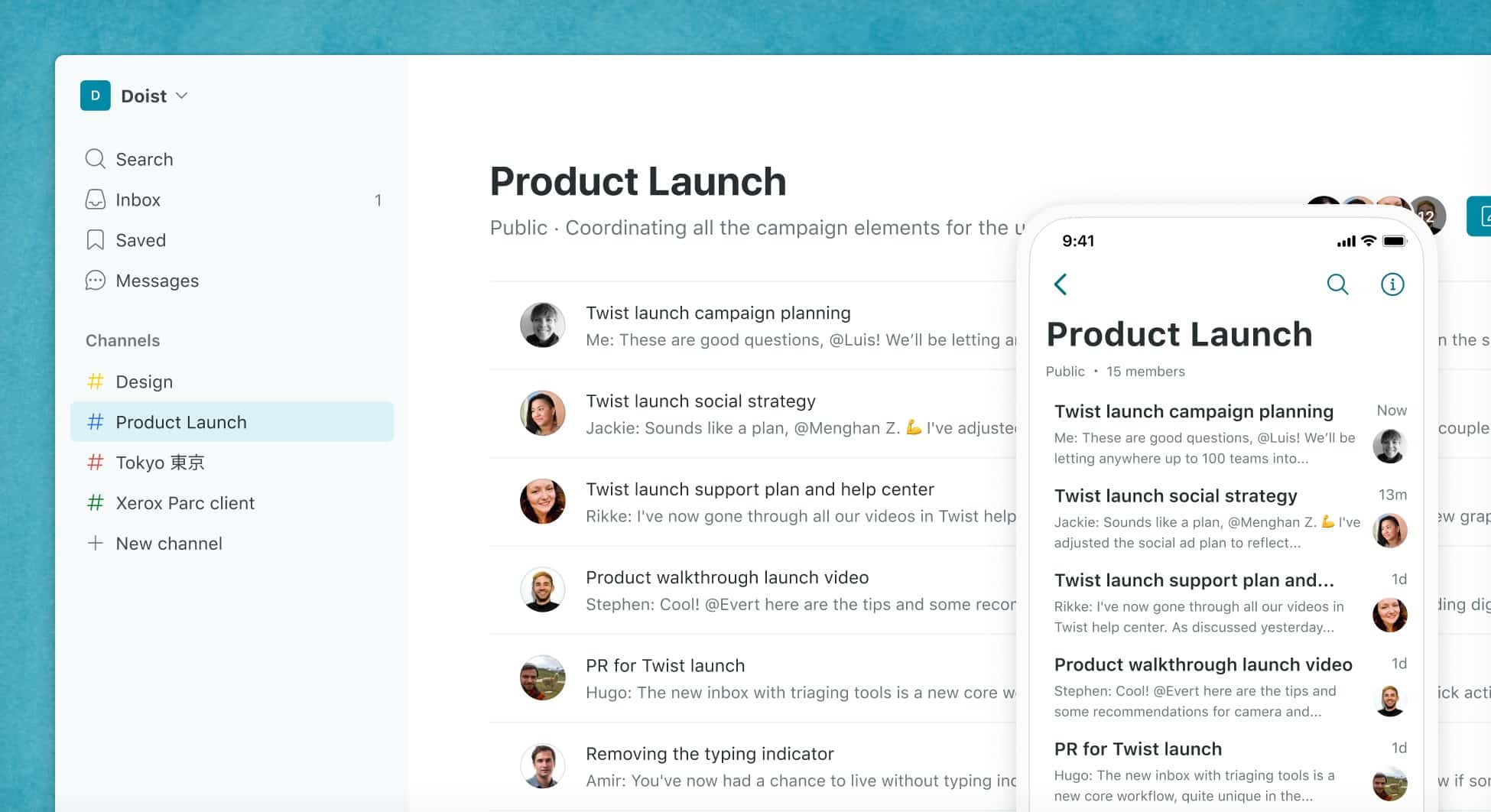
8. Twist
Twist focuses on asynchronous communication to reduce real-time chat overload.
Top Features
- Thread-based discussions to reduce chat noise
- Asynchronous communication designed for focused remote teams
- Organized conversation structure with clear topic separation
- Integration with productivity and project management tools
Pros
- Reduces noise and interruptions
- Structured communication style
Cons
- Smaller user base
- Limited analytics and engagement features
Pricing
Free tier available. Paid plans from $6 per user/month
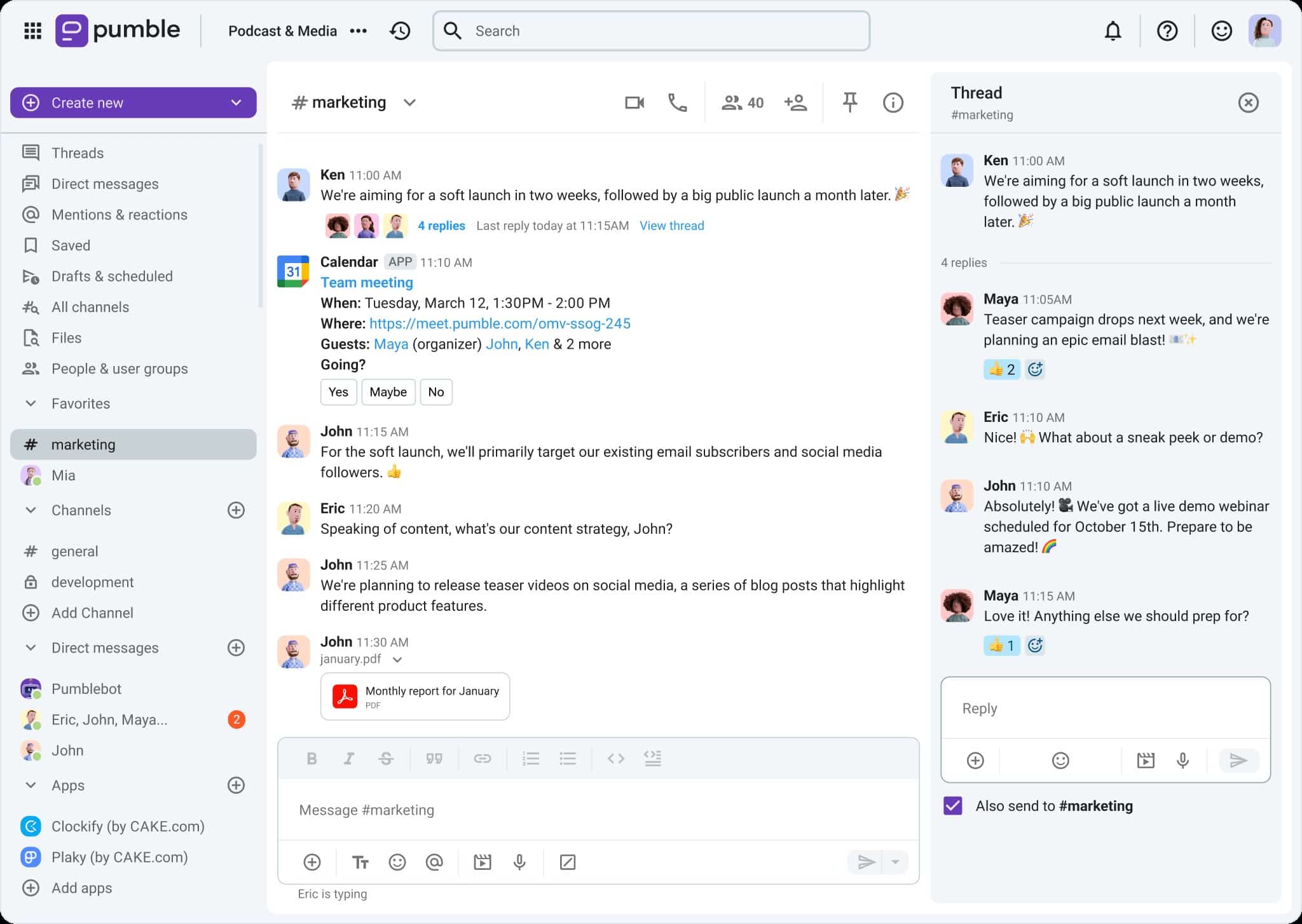
9. Pumble
Pumble is a free business chat tool positioned as a Slack alternative.
Top Features
- Channels and direct messaging with familiar interface
- Unlimited users with completely free access
- Searchable message history and file sharing
- Simple setup for small and mid-sized teams
Pros
- Completely free
- Unlimited users
- Easy transition from Slack
Cons
- Limited enterprise features
- Basic support options
Pricing
Free plan available. Premium features available in other plans.
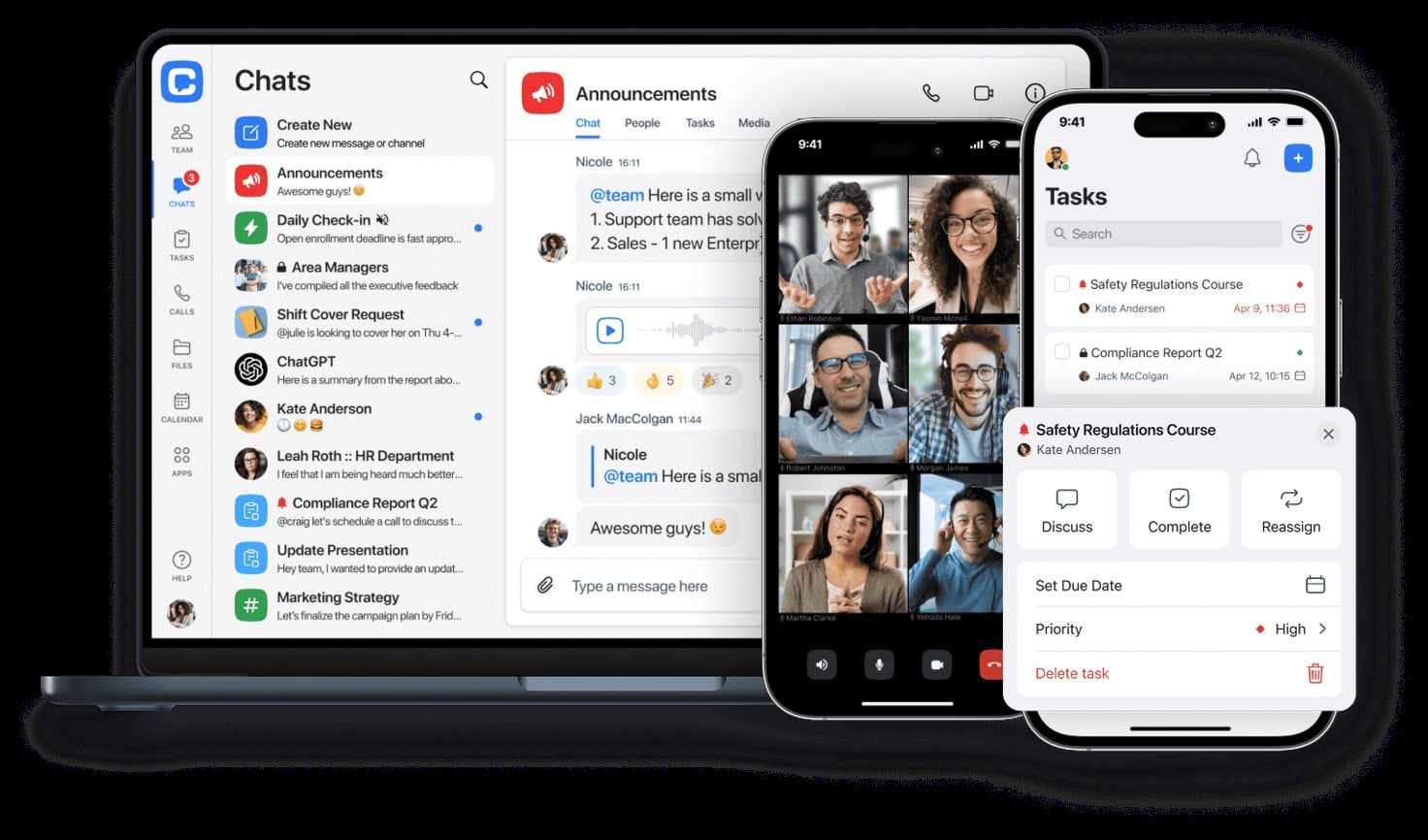
10. Chanty
Chanty is an affordable team chat tool designed for small and medium businesses.
Top Features
- Team messaging with simple and clean interface
- Built-in task management linked to conversations
- Voice and video calls for team collaboration
- Affordable pricing designed for small businesses
Pros
- Easy setup
- Task management included
- Budget-friendly pricing
Cons
- Fewer enterprise-level features
- Smaller integration ecosystem
Pricing
Free plan available. Paid plans start at $3 per user/month
Team Communication Apps Comparison Table
Some of the leading team communication apps include HubEngage, Slack, Microsoft Teams, Google Chat, Connecteam, Staffbase, Zoho Cliq, Twist, Pumble, and Chanty. We have given a Team Communication Platforms comparison table below which will be your go to tool for comparison.
| Tool | Best For | Key Features | Limitations | Pricing |
| HubEngage | Hybrid + Frontline | Multi-channel, recognition, analytics | Richer platform than small teams may need | From $1/user/month |
| Slack | Knowledge workers | Chat, integrations, channels | Can get noisy | From $7.25/user/month |
| Microsoft Teams | MS 365 users | Chat, video, Office integration | Heavy UX | Included in 365 |
| Google Chat | Google Workspace | Chat, Drive integration | Limited features | Included in Workspace |
| Connecteam | Frontline workers | Mobile-first, task mgmt | Shallow comms depth | From $29/month |
| Staffbase / LumApps | Internal comms | Intranet, announcements | Weak real-time chat | Enterprise pricing |
| Zoho Cliq | Zoho ecosystem | Chat, workflows, Zoho integrations | Limited outside Zoho ecosystem | From $3/user/month |
| Twist | Async-first teams | Organized threads, async design | Limited adoption, no advanced analytics | From $6/user/month |
| Pumble | SMBs & startups | Free chat, Slack-like interface | Few enterprise features, limited support | Free |
| Chanty | Small businesses | Chat + built-in task management | Smaller ecosystem of integrations | From $3/user/month |
By listing them together, organizations can easily compare mainstream chat tools with unified engagement platforms. Consequently, the decision-making process becomes more straightforward.
What Are Team Communication Apps Used For?
Team communication apps help employees share information quickly, collaborate on tasks, and stay connected across departments and locations. Below are common ways organizations use these tools:
- Instant Messaging and Team Chat
Teams use messaging channels and direct chats to discuss work, ask quick questions, and share updates in real time. This reduces reliance on long email threads and speeds up decision-making. - Project Collaboration
Communication apps allow teams to coordinate tasks, share files, and track discussions related to projects. Integrations with project management tools make it easier to keep everyone aligned. - Company Announcements and Updates
Organizations use these platforms to share company news, leadership updates, and important announcements so employees receive consistent information. - Remote and Hybrid Team Coordination
Distributed teams use communication apps to stay connected through messaging, video meetings, and shared workspaces regardless of location. - Knowledge Sharing
Teams share documents, resources, and best practices in channels or searchable archives. This makes it easier for employees to find information quickly. - Employee Engagement and Feedback
Many platforms include features such as polls, surveys, and recognition tools to gather employee feedback and improve engagement.
Benefits of Team Communication Apps
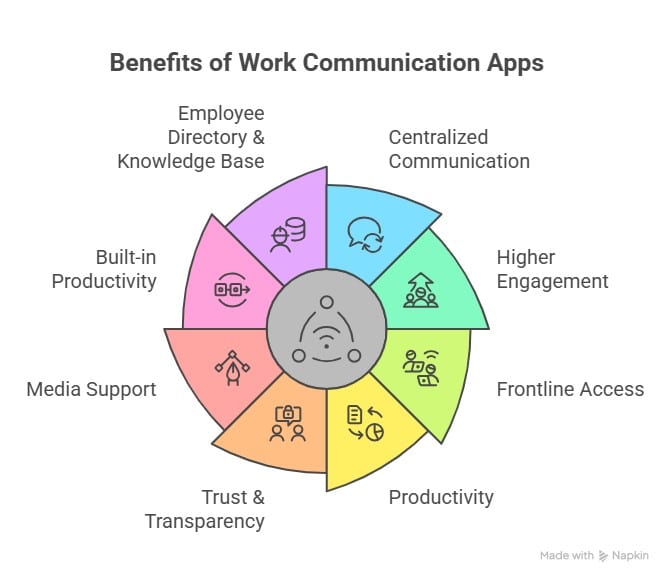
Team communication apps provide several advantages that help organizations improve engagement, give access to frontline team, better productivity, build up trust, and give knowledge base. All of these help with better teamwork and communication.
How to choose the right Team Communication App?
Choosing the right team communication software or work communication apps can make or break productivity in today’s workplace. With hybrid, remote, and frontline employees all needing fast, reliable, and engaging ways to connect, the demand for modern team communication apps and group communication apps has never been higher.
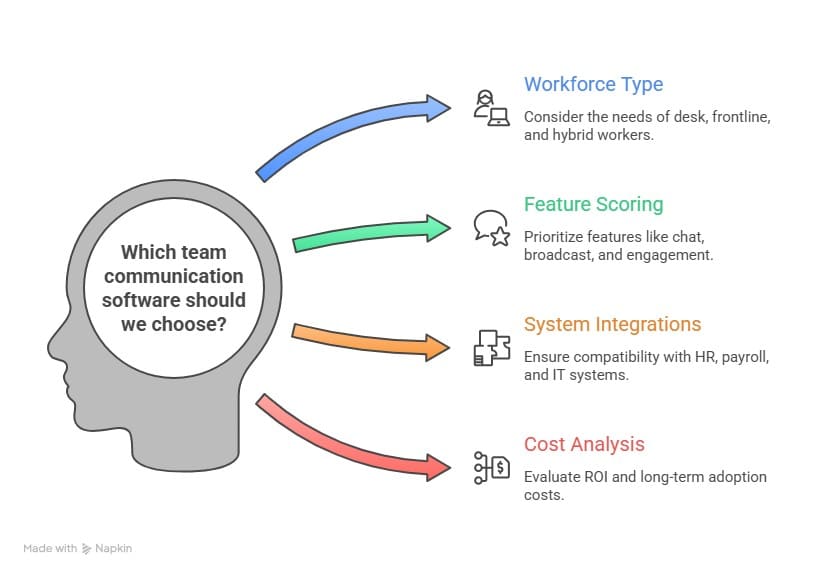
Organizations evaluating apps for team communication should follow a structured process. A clear selection framework ensures the chosen software delivers long-term value. A selection framework for Team Communication Software is given below.
Key Features to Look For in Team Communication Software And Apps
To see if your chosen apps for team communication will improve adoption or create more silos, you must carefully assess which capabilities will have the greatest impact:
| Feature | Explanation |
| Messaging | Group chat, private chat, threaded conversations, plus file and media sharing. |
| Multi-channel reach | Push notifications, SMS, WhatsApp, and email to ensure all employees are reached. |
| Integrations | Connect with HRIS, CRM, and productivity tools to reduce silos. |
| Engagement features | Recognition, surveys, and rewards to boost morale. |
| Administrative controls | Manage user access, remove accounts, and secure company data. |
| Ease of use | Mobile access, intuitive interface, and simple onboarding process. |
| Analytics dashboards | Track open rates, engagement levels, and sentiment metrics. |
| Security & compliance | Adherence to SOC2, ISO, GDPR, HIPAA standards. |
| AI capabilities | Chatbots, automated summaries, and language translations for efficiency. |
Additionally, some group communication apps emphasize structured channels and permissions, while others prioritize speed and integrations. Consequently, transitioning to the right option requires understanding these nuances.
Use Cases: Desk, Frontline, Hybrid, and Global Teams
Different industries and workforce structures demand different types of group communication apps. This section highlights how these platforms apply across scenarios.
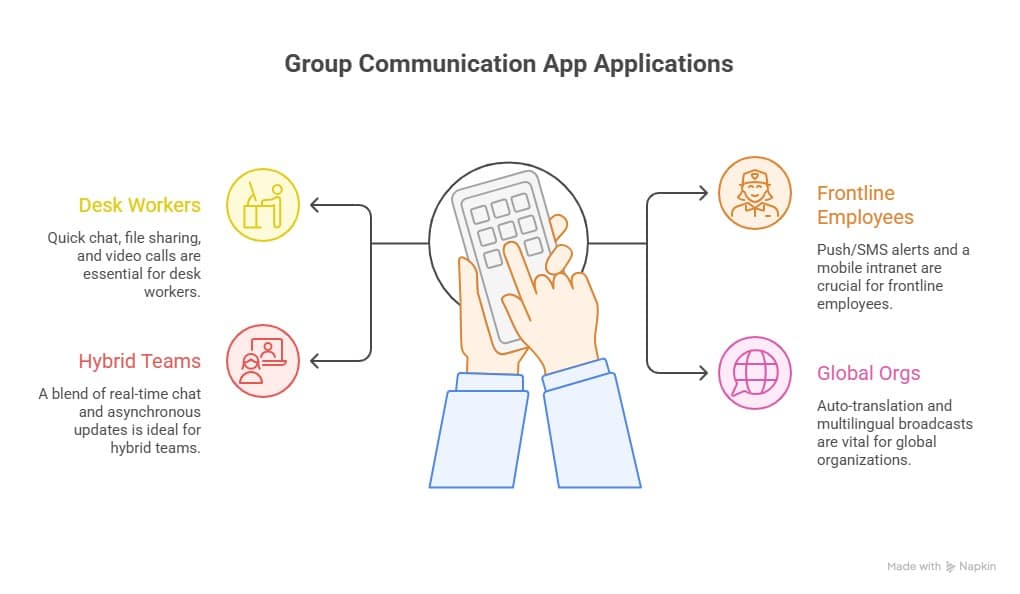
Therefore, businesses should match their unique needs with the right work communication apps to achieve consistent results. In doing so, they can create a more connected, informed, and productive workplace.
Team Communication Software for Remote and Hybrid Teams
Remote and hybrid teams rely on communication software to stay connected, collaborate efficiently, and maintain productivity across locations and time zones.
| Feature | Application |
| Real-Time Messaging and Video Meetings | Remote teams use chat, voice, and video calls to communicate quickly and solve problems faster. |
| Centralized Collaboration Spaces | Channels and shared workspaces organize conversations around projects and teams. |
| File Sharing and Document Collaboration | Teams can share files and collaborate on documents within the same platform. |
| Time Zone Friendly Communication | Threaded conversations and asynchronous messaging support global teams across time zones. |
| Integration with Productivity Tools | Apps connect with project management, CRM, and productivity tools for smoother workflows. |
Team Communication Apps for Frontline and Deskless Workers
Frontline and deskless workers often do not have regular access to email or computers. Team communication apps help organizations reach these employees through mobile devices and notifications.
| Feature | Role Played |
| Mobile‑First Communication | Smartphone apps allow frontline employees to receive updates wherever they work. |
| Instant Alerts and Announcements | Push notifications, SMS, or app alerts quickly deliver important company information. |
| Shift and Schedule Updates | Managers can share shift changes, schedules, and operational updates directly with teams. |
| Employee Feedback and Surveys | Mobile polls and surveys allow frontline employees to share feedback and stay engaged. |
| Training and Knowledge Sharing | Companies can deliver training materials, safety updates, and resources through the app. |
Migration & Adoption Strategy
Switching from Slack or Microsoft Teams to a unified platform like HubEngage is possible with the right rollout plan. Adoption depends on employee readiness and organizational support.
| Scenario | What to do? |
| Pilot rollout | Test with one department first before full launch. |
| Train employees | Provide onboarding sessions and quick-start guides. |
| Use gamification | Encourage engagement with points, rewards, and leaderboards. |
| Track adoption | Monitor active users, read rates, and repeat engagement. |
| Iterate | Collect feedback through in-app surveys and refine channels/notifications. |
👉 Tip: Set 30/60/90-day goals (e.g., 60% MAU by day 30; 70% content read-rate by day 60) and review progress in your analytics dashboard. As a result, you’ll build momentum and long-term engagement.
Security, Privacy, and Compliance in Team Communication Tools
Security and compliance remain critical for enterprise communication. Therefore, decision-makers should look for recognized frameworks and certifications.
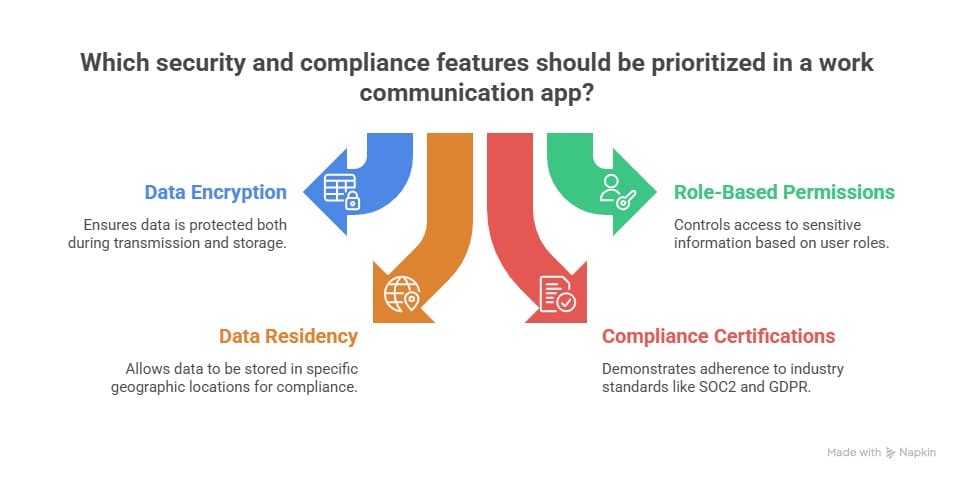
👉 For guidance, see ISO/IEC 27001, NIST Cybersecurity Framework, and the official GDPR portal.
Team Communication Software ROI & Cost Considerations
Team communication software helps businesses improve productivity, employee engagement, and collaboration while reducing communication delays and tool overload. Companies can save costs by replacing multiple platforms with one unified communication solution.
| ROI Area | Business Impact |
| Better Productivity | Faster communication improves daily workflows and decision-making. |
| Reduced Tool Costs | One platform can replace multiple communication and engagement tools. |
| Higher Employee Engagement | Recognition, surveys, and updates improve workforce participation. |
| Improved Collaboration | Teams communicate more effectively across departments and locations. |
| Stronger Retention | Better communication helps employees feel informed and connected. |
Team Communication Software Pricing Models
Team communication software usually follows enterprise SaaS pricing strategies that allow organizations to scale their communication infrastructure as their workforce grows. These pricing models determine how companies are charged for platform access, features, and usage.
| Pricing Model | Description | Example in Team Communication Tools |
| Subscription-Based Pricing | Organizations pay a recurring monthly or annual fee to access the software. Pricing is often based on the number of users. | A company pays a per-user monthly fee for messaging, collaboration, and video conferencing features. |
| Tiered Pricing | The software is offered in multiple plans with increasing features and pricing levels. | Basic, Pro, and Enterprise plans with different collaboration, security, and admin capabilities. |
| Usage-Based Pricing | Customers are charged based on how much they use the platform, such as storage, messages, or API calls. | Businesses pay based on active users or message volume. |
| Freemium Model | A free plan with limited features is offered, while advanced features require paid upgrades. | Free messaging with limits, while integrations, analytics, and storage are paid features. |
| Hybrid Pricing | Combines multiple pricing models, such as subscription plus usage-based charges. | A base subscription fee with additional costs for advanced integrations or high usage. |
These pricing models allow team communication platforms to accommodate organizations of different sizes while offering flexibility as communication needs evolve.
How to choose the right pricing model of team communication software?
Choosing the right pricing model for enterprise or team communication software requires evaluating several strategic factors. The following considerations can help organizations determine which pricing structure best aligns with their product value, target market, and long-term growth.
- Assess Your Product and Market
Start by understanding your target audience whether they are small businesses, mid-sized companies, or large enterprises. Each segment has different budgets and expectations. - Align Pricing with Customer Value
Pricing should reflect the value your software delivers to users. If your platform significantly improves communication efficiency, collaboration, or productivity, it may justify premium pricing.
- Consider Scalability and Future Growth
Your pricing model should support both current needs and future expansion. For example, tiered or usage-based pricing can work well for platforms that scale with the number of users or features over time.
- Evaluate Competitor Pricing
Analyzing competitor pricing strategies helps ensure your offering remains competitive. It also helps identify gaps in the market where your pricing structure can stand out while still delivering strong value to customers.
Why Choose HubEngage’s Team Communication Software?
Organizations using HubEngage as their team communication software have achieved adoption rates above 60% within 90 days while consolidating multiple platforms into one.
Explore the below review given by one of our customers based in Austin, USA sharing their experience of using HubEngage Communication Platform.
Before HubEngage, keeping everyone aligned across shifts was always difficult. Important messages would get lost, and not every employee received updates on time. Since we introduced HubEngage, everything has changed. We now have one central platform where we can instantly share training videos, safety alerts, and company announcements. Our production line employees don’t work at desks, so the mobile app ensures they stay informed wherever they are. Communication feels faster and more organized. The recognition features have also lifted morale, especially during busy production periods. Managers love how simple it is to post updates without relying on bulletin boards or scattered group chats.
The Future of Team Communication Apps: AI & Automation
The next generation of team communication apps will be increasingly shaped by AI. Already, companies are exploring smart automation to personalize and optimize communication:
- AI-powered assistants help draft messages and create quick summaries.
- Predictive analytics provides insights into HR trends and engagement.
- Automated translations help teams communicate across different languages worldwide.
- Conversational search finds information quickly across chats and channels.
👉 HubEngage includes AI-driven automation, helping admins target messages and optimize timing for higher engagement. Consequently, organizations save time while improving communication quality.
Conclusion
The right team communication software balances chat, multi-channel reach, and employee engagement. While Slack, Teams, and Connecteam are strong in specific areas, HubEngage stands out as an all-in-one platform built for modern, hybrid, and frontline teams.
For 2026, the top apps for team communication include HubEngage, Slack, Microsoft Teams, and others. However, HubEngage uniquely combines communication, engagement, and analytics in one hub. 👉 Request a personalized demo of HubEngage.
Team Communication Software & Apps FAQs
What are the best team communication apps in 2026?
The best team communication apps in 2026 include HubEngage, Slack, Microsoft Teams, Google Chat, and Connecteam. These platforms improve messaging, collaboration, employee engagement, and communication for remote, hybrid, and frontline workplaces.
What features should I look for in team communication software?
Look for messaging, video meetings, mobile access, integrations, analytics, security, and employee engagement tools. The best team communication software improves collaboration, simplifies workflows, and keeps employees connected across departments and locations.
Which work communication apps are best for frontline workers?
HubEngage and Connecteam are among the best work communication apps for frontline workers. They offer mobile-first communication, instant notifications, scheduling, surveys, and engagement tools that help deskless employees stay informed and connected.
How is a group communication app different from a team chat tool?
A group communication app supports company-wide communication, announcements, and employee engagement, while a team chat tool mainly focuses on direct messaging and conversations. Communication apps also include analytics, integrations, and multi-channel communication features.
What is the difference between a team communication app and a collaboration tool?
A team communication app focuses on messaging, updates, and employee engagement, while collaboration tools help teams manage projects, documents, and workflows. Many modern workplace platforms combine communication and collaboration features together.
How does team communication software improve employee engagement?
Team communication software improves employee engagement through recognition programs, surveys, instant updates, and transparent communication. Employees feel more connected, informed, and valued, which helps improve workplace morale, collaboration, and productivity.
What analytics should team communication apps provide?
Team communication apps should provide analytics like message open rates, active users, employee engagement levels, survey participation, and content performance. These insights help businesses improve communication strategies and workforce engagement.
Is team communication software secure for regulated industries?
Yes, many enterprise communication platforms like HubEngage support security standards like GDPR, SOC 2, ISO 27001, and HIPAA. These compliance features help regulated industries protect sensitive employee information and internal communications securely.
Can I migrate from Slack or Teams to another communication app easily?
Yes, many communication platforms support migration from Slack or Microsoft Teams using integrations, onboarding support, and data transfer tools. A phased rollout and employee training strategy can help simplify the migration process.
What’s the best team communication app for small businesses under 10 employees?
Small businesses under 10 employees often choose affordable communication apps like HubEngage and Slack. These platforms offer messaging, collaboration, and mobile communication features without large enterprise software costs.
How much should small businesses expect to pay for team communication software?
Small businesses typically spend between $3 and $10 per user monthly for team communication software. Many platforms also provide free plans with basic messaging, collaboration, and file-sharing features for growing teams.
Which apps support high-quality photo and video sharing for creative teams like salons or retail?
Apps like HubEngage, Slack, Microsoft Teams, and Google Chat support high-quality photo and video sharing. These platforms help salons, retailers, and creative teams collaborate visually and share media content instantly.
Why is team communication important?
Team communication is important because it improves collaboration, reduces misunderstandings, increases productivity, and keeps employees aligned with company goals. Strong communication also helps build trust, engagement, and better teamwork across organizations.
Why are apps good for team communication?
Apps improve team communication by enabling instant messaging, mobile access, real-time updates, and video meetings. They help employees stay connected, collaborate faster, and communicate efficiently across remote, hybrid, and frontline workplaces.
What are the best apps for team communication for startups?
The best team communication apps for startups include HubEngage, Slack, and Google Chat. These platforms provide affordable messaging, integrations, collaboration, and mobile communication features for fast-growing startup teams.
Related Links:
Instant Messaging Software | Instant Messaging For Business | Office Chat | Best Team Chat App | Alternatives To Google Chat | Instant Messaging Vs Email | Active Listening | Teamwork Definition